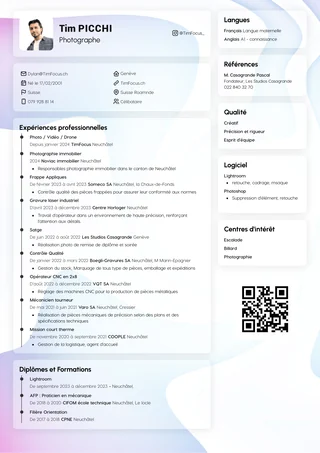


You have polished your CV and listed your skills. One last question is holding you back: should you add a photo? The answer depends on the context. The rules for a photo on a CV or LinkedIn are not the same, and a mistake can weaken your profile before it has even been read.
On LinkedIn, a profile without a photo is often seen as incomplete or less trustworthy. For a CV, the answer is more nuanced and depends on local customs. This guide helps you make the right choices so your first impression is always the right one, whether you want to know which photo to put on your CV or to take a good photo for LinkedIn that inspires trust.
The golden rule for CV photos: when to say no
For applications in the United States, United Kingdom or Canada, the rule is simple: do not add a photo to your CV. This practice is not only discouraged there, but may result in your application being rejected before it is even read.
This rule primarily aims to ensure fairer recruitment. By removing the photo, companies make sure recruiters focus 100% on your skills, background and experience. It is an effective way to avoid unconscious judgements based on appearance.
In France and many other European countries, a CV photo remains common and expected. Always check the local customs of the company or country you are targeting. While CV rules vary, another professional tool takes a much less ambiguous position.
LinkedIn: why a professional photo is essential
Unlike a CV, where a photo is often discouraged, on LinkedIn it is essential. The data confirms it: profiles with a professional photo receive far more views and connection requests. The impact of a LinkedIn photo on recruiters is therefore immediate; without one, you are practically invisible.
Beyond visibility, a profile without a photo looks incomplete, neglected or even suspicious. A recruiter might wonder whether the profile is real or simply abandoned. Improving your LinkedIn profile photo is therefore not a minor detail, but a crucial step in building trust.
Think of your photo as your digital handshake. A clear, professional image instantly conveys trust and approachability. Knowing how to take a good photo for LinkedIn is the first step towards starting a conversation.
The 5 keys to a perfect profile photo
A professional photo does not have to be complicated or expensive to produce. A few simple rules are enough to make your image inspire trust and professionalism. A good example of a professional profile phototicks all these boxes:
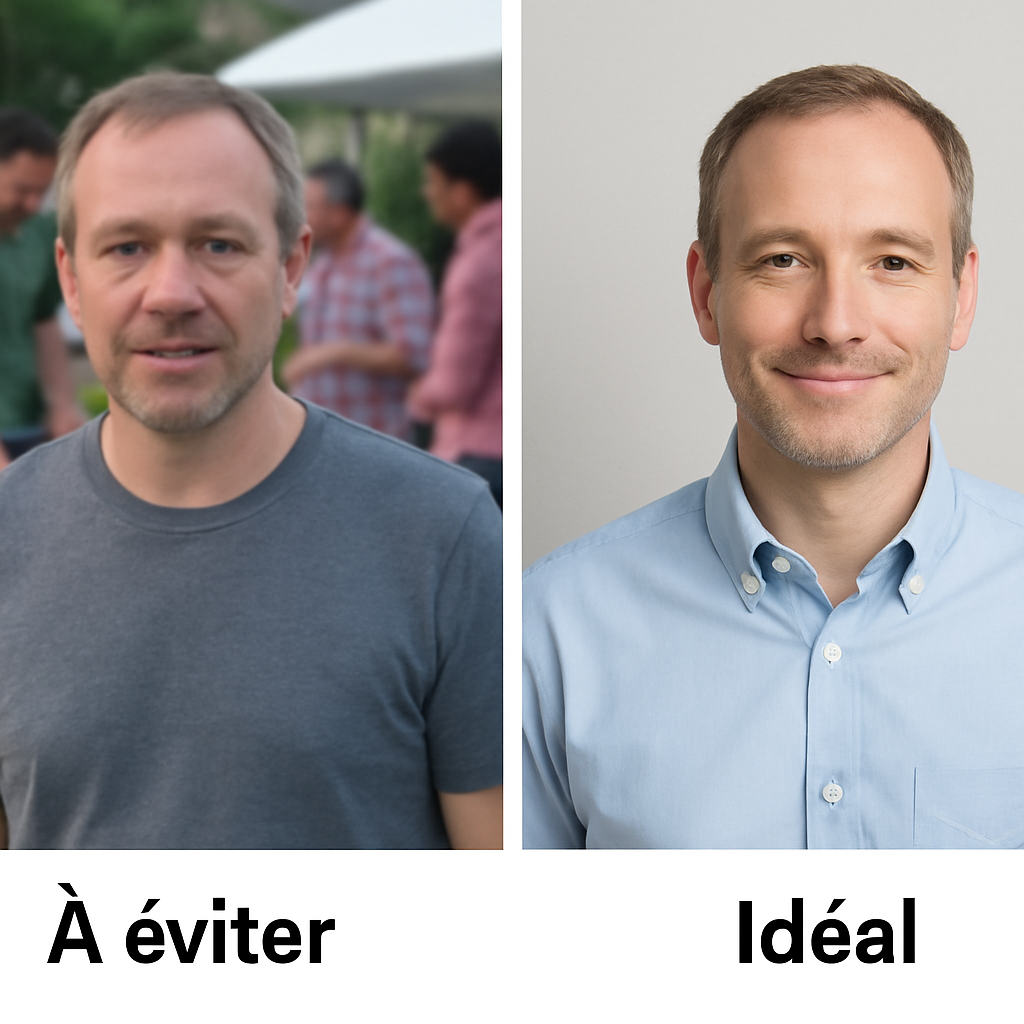
A tight crop: Your head and shoulders should be visible. The recruiter wants to connect with a person, not pick you out of a group.
A simple background: The best background for a professional photo is neutral. A plain wall (white, grey, light blue) is perfect for keeping the focus on you.
Good lighting: Face a window so natural light illuminates your face. Avoid backlighting or harsh shadows.
An approachable expression: A slight, genuine smile makes you look friendlier and more open.
A sharp image: Make sure the photo is neither blurry nor pixelated.
The easiest tip to apply concerns light: a smartphone photo taken facing a window will often produce a better result than a poorly lit shot from an expensive camera.
How to dress for a professional photo without getting it wrong
Dress as you would for a job interview in your target industry. This is the best way to answer the question of how to dress for a professional photo. This immediately shows recruiters that you understand their industry’s conventions.
Choose solid, neutral colours such as navy, grey or off-white. Busy patterns, visible logos and fluorescent colours distract and date poorly. Simplicity is your best ally for a corporate photo that conveys professionalism.
The dress code for a CV photo naturally adapts to your field. A developer will look credible in a simple, good-quality crew-neck top. If you work in finance or law, however, a shirt or even a blazer will be more appropriate.
Tutorial: take a successful professional photo with just a smartphone
Your smartphone is more than enough for a quality photo. The main trick is natural light: face a well-lit window, but avoid direct sunshine. Find a plain wall behind you to avoid distractions.
Resist the urge to take a selfie, as the front camera can distort your face. For a more flattering result, ask a friend to take your photo and activate ‘Portrait Mode’. This feature creates an artistic background blur, a trick often used during a photo shoot for a professional result.
Here is a summary of a photographer’s tips for a professional portrait with a smartphone:
Light: Stand about 1 metre from a window, facing it.
Framing: The person taking your photo should hold the phone at your eye level.
Click: Activate Portrait Mode and smile naturally.
Selection: Take around ten photos so you have a choice.
The 3 profile photo mistakes that put recruiters off
Choosing the photo remains decisive. The first of the mistakes to avoid in your profile photo concerns context. A holiday or wedding photo of yourself is best kept for friends. On a professional profile, it sends a confusing message. The difference between a CV photo and a social media photo for personal use is crucial.
Another common mistake is awkwardly cropping a group photo. You can often make out an arm on your shoulder or a chaotic background. This suggests you have not taken the time to create a dedicated photo and may give the impression that you lack professionalism.
Finally, your photo should look like you today. Using a photo from five or ten years ago is a bad idea, because the recruiter needs to recognise you. Aim for a photo less than two years old.
Artificial intelligence for your photo: a good or bad idea?
The idea of usingartificial intelligence for a professional photo is appealing. You upload a few selfies and a program generates a seemingly perfect portrait. In a few clicks, you have an image that ticks every technical box.
However, the main drawback is authenticity... These images often look too smooth, almost artificial, which a recruiter may notice. A professional portrait generated by AI risks creating distance rather than connection.
Our advice is to favour authenticity. A smartphone photo following a few basic tips, even if imperfect, will show the real you. And that is precisely what interests a recruiter.
Your action plan for a perfect photo
To guarantee a professional image that opens doors, follow this checklist:
✓ No photo on your CV (for countries such as the US, UK and Canada).
✓ A mandatory professional photo on LinkedIn.
✓ Framing head and shoulders.
✓ Background neutral and simple.
✓ Lighting from the front (the window is your best friend).
✓ Outfit professional and understated.
✓ Smile natural and welcoming.
✓ A sharp image of good quality.
Open your LinkedIn profile and compare your current photo with this list. If it does not match, you know exactly what to do to improve it.